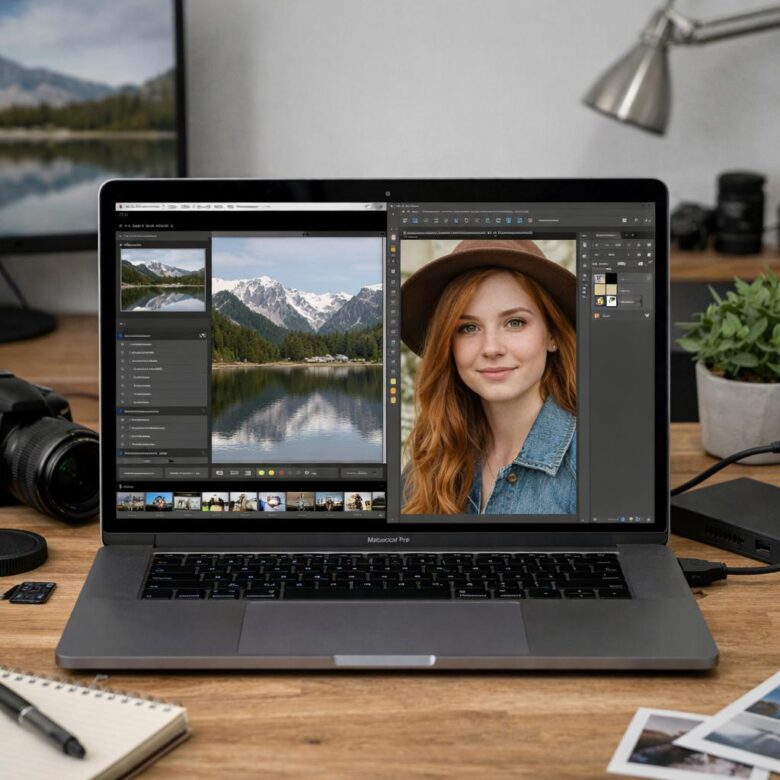
Lightroom vs Photoshop is one of the first decisions many beginners face when they start learning photo editing. Both tools are made by Adobe, both can improve images, and both are widely used by photographers, creators, designers, and businesses. The confusing part is that they are not designed for exactly the same kind of work.
Lightroom is mainly built for organizing photos, improving color, adjusting light, correcting exposure, applying presets, editing large batches, and keeping a clean photo workflow. Photoshop is built for deeper image manipulation, detailed retouching, layers, composites, graphic work, background changes, and pixel-level edits.
For someone who is just starting, the best tool is not always the most powerful one. The better choice is the one that matches what you actually want to do with your photos. If your goal is to edit travel photos, portraits, product shots, social media images, or client galleries faster, Lightroom usually feels easier to learn first.
If your goal is to remove complex objects, create digital artwork, combine images, design posters, retouch skin in detail, or make advanced edits that change the structure of the image, Photoshop becomes more important. In many cases, photographers eventually use both tools, but they often begin with one before adding the other.
This guide explains the difference in simple terms, shows when each tool makes more sense, and helps you decide which one to learn first without wasting time on features you do not need yet.
Important note: before paying for any software plan, check the official Adobe website for current features, pricing, system requirements, and plan details. Photo editing tools change over time, and the best choice depends on your device, budget, learning goals, and type of work.
Lightroom vs Photoshop: the simple difference for beginners
The easiest way to understand Lightroom vs Photoshop is this: Lightroom is usually for improving and managing photos, while Photoshop is usually for changing or rebuilding images in detail. Lightroom helps you make a photo look better. Photoshop helps you change what is inside the photo with much more control.
In practical terms, Lightroom is where you adjust brightness, contrast, color, white balance, sharpness, noise, cropping, lens corrections, and overall style. It is especially useful when you have many photos from the same shoot and want them to look consistent. A common example is editing 100 wedding, travel, food, or product photos with the same visual mood.
Photoshop is different because it gives you layers, masks, selections, advanced object removal, detailed retouching, text tools, blending, and design controls. It is better when one image needs careful manual work. For example, removing a distracting person from a background, combining two images, replacing a sky, or creating a thumbnail with text and graphics is usually more comfortable in Photoshop.
| Tool | Best for | Main beginner advantage |
|---|---|---|
| Lightroom | Photo correction, color editing, presets, organization, batch editing | Easier workflow for editing many photos quickly |
| Photoshop | Advanced retouching, layers, composites, object removal, graphic edits | More control for detailed image changes |
| Both together | Professional photo workflow from basic correction to advanced editing | Better flexibility after learning the basics |
What Lightroom is best for
Lightroom is often the better first choice for people who want to edit real photos instead of building complex designs. It is useful for improving images while keeping the process simple. You can adjust exposure, shadows, highlights, colors, skin tones, cropping, and sharpness without needing to understand layers from the beginning.
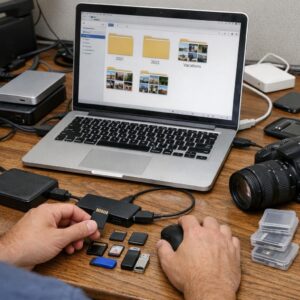
One major strength of Lightroom is organization. You can import photos, sort them, rate them, apply edits, compare versions, and export final images. This matters more than beginners expect. After a few months of taking photos, your problem is not only editing one image, but also finding, organizing, and finishing many images without getting lost.
Another strong point is speed. If you edit photos for Instagram, a blog, a portfolio, an online store, or personal projects, Lightroom can save time because you can apply similar adjustments to multiple images. In many cases, a beginner can learn the basic Lightroom workflow in a few days and start producing cleaner, more consistent photos.
- Choose Lightroom first if your main goal is to improve regular photos.
- Choose Lightroom first if you need to edit many images from the same shoot.
- Choose Lightroom first if you want simple controls for light, color, and cropping.
- Choose Lightroom first if you care about organizing your photo library.
- Choose Lightroom first if you want to create a consistent editing style.
What Photoshop is best for
Photoshop is better when the edit requires more than normal photo improvement. It gives you detailed control over individual parts of an image. You can use layers, masks, brushes, selections, adjustment layers, text, shapes, and blending tools to build a final image step by step.
A common beginner mistake is trying to learn Photoshop first just because it is famous. Photoshop is powerful, but it can feel overwhelming if your only goal is to make photos brighter, cleaner, and more colorful. Many beginners open Photoshop, see too many panels and tools, and stop practicing because the learning curve feels too heavy.
That does not mean Photoshop is a bad first tool. If you want to become a graphic designer, digital artist, advanced retoucher, thumbnail designer, product image editor, or creative compositor, learning Photoshop early makes sense. It teaches you how images are built in layers, which is a skill used in many creative jobs.
| Editing goal | Better first tool | Why |
|---|---|---|
| Improve vacation, portrait, food, or product photos | Lightroom | Faster for exposure, color, cropping, and consistent style |
| Edit hundreds of photos from one session | Lightroom | Better for batch editing and photo organization |
| Remove complex objects or rebuild image areas | Photoshop | More precise tools for detailed corrections |
| Create posters, thumbnails, banners, or composites | Photoshop | Layers, text, shapes, and design tools are more complete |
| Build a professional photography workflow | Lightroom first, Photoshop second | Lightroom handles the main photo workflow, Photoshop handles special edits |
Which tool should you learn first?
For most beginners who want to edit photos, Lightroom is the better tool to learn first. It teaches the foundation of photo editing: exposure, contrast, highlights, shadows, white balance, color, cropping, sharpening, and exporting. These skills matter no matter which editing tool you use later.
Learning Lightroom first also helps you understand what makes a photo look good before you start changing pixels in Photoshop. In many cases, the biggest improvement in a photo comes from better light and color adjustments, not from complex manipulation. This is why Lightroom often feels more practical at the beginning.
Photoshop should come first only if your main goal is not traditional photo editing. If you want to create digital art, edit thumbnails, design graphics, manipulate backgrounds, or do detailed retouching, Photoshop may be the better starting point. The safest decision is to choose based on your real goal, not based on which software sounds more professional.
-
Define your main editing goal.
Decide whether you mainly want to improve photos or create complex visual edits. This prevents you from learning tools that look impressive but do not solve your current need.
-
Look at the number of photos you usually edit.
If you often edit many photos at once, Lightroom is usually more practical. If you usually spend a long time on one image, Photoshop may be more useful.
-
Start with basic corrections.
Before advanced effects, learn exposure, contrast, crop, white balance, and color correction. These basics improve almost every photo and make later editing easier.
-
Add advanced tools only when needed.
Move to Photoshop when Lightroom can no longer solve the problem cleanly. This avoids spending weeks learning complex tools before you actually need them.
-
Practice with your own images.
Editing random sample photos can help, but your own images teach better lessons because you understand what you were trying to capture and what needs improvement.
When Lightroom is enough
Lightroom is enough when your photo already has a good base and only needs improvement. If the composition is clear, the subject is sharp, and the photo does not require major object removal, Lightroom can usually handle the full edit. This includes color correction, skin tone balance, crop, detail enhancement, and export.
For social media creators, bloggers, small business owners, and hobby photographers, Lightroom may be the only tool needed for a long time. You can build a strong visual style with presets, manual adjustments, and consistent export settings. A product photo, for example, may only need better white balance, straightening, exposure correction, and background cleanup.
Lightroom is also a good choice when you want to avoid destructive editing. The program is designed around a workflow where the original photo is preserved while your changes are saved as edits. That makes experimentation safer for beginners, because you can test different looks without permanently damaging the original file.
- The photo needs better light, contrast, or color.
- The subject is already clear and properly framed.
- You want to edit several images with a similar style.
- You need to organize, rate, or export a photo collection.
- You do not need layers, text, or complex object removal.
- You want a simpler learning path before advanced manipulation.
When Photoshop becomes necessary
Photoshop becomes necessary when the edit requires precise control over parts of the image. For example, if you need to remove a complicated object, change a background, combine two photos, repair damaged areas, add realistic shadows, or create a design with text, Lightroom may not be enough.
In practical work, many photographers use Lightroom for the first stage and Photoshop only for selected images. They may edit an entire photo session in Lightroom, then send a few important images to Photoshop for detailed retouching. This is more efficient than trying to do every small adjustment inside Photoshop from the beginning.
Photoshop is also important for commercial work where small details matter. Product images, fashion retouching, advertising graphics, YouTube thumbnails, album covers, and banners often need layers and advanced control. If you plan to work professionally in these areas, Photoshop is not just an extra tool; it becomes part of the main skill set.
Common mistakes beginners make
One common mistake is thinking Photoshop automatically makes edits look more professional. In reality, a poorly edited Photoshop image can look less natural than a simple Lightroom edit. Good editing depends more on judgment, light, color, and restraint than on using the most advanced tool.
Another mistake is relying too much on presets or filters. Presets can be useful, especially in Lightroom, but they do not work perfectly on every photo. A preset that looks great on a bright outdoor portrait may look strange on a dark indoor image. Beginners should learn what the sliders do instead of only clicking presets.
A third mistake is editing without checking the final use. A photo for print, a website, Instagram, a portfolio, or an online store may need different crop, size, sharpness, and export settings. Before exporting, always think about where the image will be used, because this affects the best final settings.
| Common mistake | What can happen | Better approach |
|---|---|---|
| Learning Photoshop first without a clear reason | The process may feel confusing and slow | Start with Lightroom if your goal is normal photo editing |
| Using presets without adjustment | Photos may look unnatural or inconsistent | Adjust exposure, white balance, and skin tones manually |
| Overediting colors and sharpness | The image may look harsh or artificial | Compare before and after to keep the edit realistic |
| Ignoring file organization | Photos become hard to find later | Use folders, ratings, albums, or collections from the beginning |
| Exporting with the wrong settings | The image may be too large, too small, or low quality | Choose export settings based on the platform or final use |
A practical learning path for beginners
A smart learning path is to begin with the editing skills that apply everywhere. Start by understanding exposure, contrast, highlights, shadows, white balance, cropping, straightening, and basic color adjustments. Lightroom is excellent for this stage because the controls are easier to understand and the results are visible quickly.
After that, learn how to organize photos, compare edits, use presets carefully, and export images correctly. These skills may sound simple, but they are part of a real editing workflow. In many cases, beginners who learn workflow early become faster and more consistent than people who only learn random effects.
Once you feel comfortable with Lightroom, start learning Photoshop for specific problems. Do not try to master everything at once. Begin with layers, masks, selections, healing tools, object removal, and adjustment layers. These tools solve many real editing problems without forcing you to learn every advanced feature immediately.
-
Week one: learn basic Lightroom adjustments.
Practice exposure, contrast, white balance, crop, and color. Use simple images and compare the before and after version to understand what changed.
-
Week two: build a consistent editing style.
Edit a small set of photos from the same shoot. Try to make them look like they belong together instead of editing each one with a completely different style.
-
Week three: learn exporting and organization.
Create folders or albums, rate your best photos, and export versions for web or social media. This builds good habits for future work.
-
Week four: start Photoshop basics.
Open a few selected images in Photoshop and practice layers, masks, healing, and simple object removal. Use Photoshop only when Lightroom is not enough.
When to seek professional help or official support
You should look for official support when you have account, billing, installation, system requirement, or subscription issues. These problems are not solved by editing tutorials, and unofficial advice may be outdated or unsafe. Always use the official help center when the problem involves your Adobe account or payment information.
Professional help may also be useful if you need editing for commercial work and the result must be high quality. For example, product photos for an online store, real estate images, advertising campaigns, and professional portraits may require careful editing. A bad edit can affect trust, sales, or brand image.
You should also consider structured training if you feel stuck after learning the basics. Free tutorials can help, but they are often scattered. A course, mentor, or official learning path can make progress easier because it teaches the tools in order instead of forcing you to guess what to learn next.
Conclusion
Lightroom vs Photoshop is not about choosing the better program overall. It is about choosing the better first tool for your goal. If you mainly want to improve photos, organize your library, edit faster, and build a consistent style, Lightroom is usually the smarter place to start.
Photoshop is the better first choice when your goal is advanced manipulation, graphic design, detailed retouching, composites, or image creation that requires layers and precise control. It is more powerful for complex edits, but that power can slow beginners down if they do not need it yet.
The most practical path for many learners is to start with Lightroom, build strong editing habits, and then learn Photoshop when a specific problem requires it. Before paying for a plan or committing to one workflow, check the official Adobe pages, test the tools when possible, and choose based on the kind of images you actually want to create.
FAQ
1. Is Lightroom easier to learn than Photoshop?
Yes, Lightroom is usually easier for beginners because its tools are focused on photo improvement instead of complex image manipulation. The main controls, such as exposure, contrast, color, crop, and sharpening, are easier to understand because they directly affect the whole photo. Photoshop has more advanced tools, but it also has more panels, layers, masks, selections, and design options. If your goal is to make photos look better quickly, Lightroom normally feels more natural at the start.
2. Should I learn Lightroom before Photoshop?
For most people interested in photography, learning Lightroom before Photoshop is the better path. Lightroom teaches the foundation of editing: light, color, composition, organization, and export. These skills help you understand what a good photo needs before you start doing advanced changes in Photoshop. After you become comfortable with Lightroom, Photoshop becomes easier to learn because you will know exactly why you need it and which problems it should solve.
3. Can Lightroom replace Photoshop?
Lightroom can replace Photoshop only for certain types of work. If you mostly edit normal photos, adjust colors, fix exposure, crop images, apply presets, and export for social media or a website, Lightroom may be enough. However, it does not fully replace Photoshop for advanced retouching, complex object removal, composites, text design, detailed selections, and layered editing. The best choice depends on whether you need simple photo correction or deeper image manipulation.
4. Can Photoshop do everything Lightroom does?
Photoshop can perform many editing tasks that Lightroom does, especially when combined with Adobe Camera Raw. However, Photoshop is not as convenient for organizing and batch editing large photo collections. Lightroom is designed around a photography workflow, which includes importing, rating, organizing, editing, syncing, and exporting images. Photoshop is stronger for individual image work, but Lightroom is often faster when you need to handle many photos from the same shoot.
5. Which tool is better for social media photos?
Lightroom is usually better for social media photos if your goal is to create a clean and consistent style. It is fast for adjusting brightness, contrast, color, sharpness, and crop. You can also apply similar edits to multiple images, which helps keep a profile visually consistent. Photoshop becomes useful for social media when you need thumbnails, text, cutouts, background changes, or more designed posts. Many creators use Lightroom for photo style and Photoshop for graphic edits.
6. Which tool is better for professional photographers?
Many professional photographers use both Lightroom and Photoshop. Lightroom is often used for importing, organizing, color correction, batch editing, and exporting. Photoshop is used for selected images that need detailed retouching, advanced cleanup, composites, or commercial-level finishing. For photographers who shoot weddings, portraits, events, travel, food, or products, Lightroom often handles most of the workflow. Photoshop becomes the specialist tool for images that need extra precision.
7. Is Photoshop too hard for beginners?
Photoshop is not impossible for beginners, but it can feel harder because it has many tools and different ways to do the same task. The challenge is not only learning buttons, but also understanding layers, masks, selections, and non-destructive editing. A beginner can learn Photoshop successfully by focusing on one skill at a time. The problem happens when someone tries to learn every feature at once without a clear goal or project.
8. Do I need both Lightroom and Photoshop?
You do not need both tools immediately. If you are starting with basic photo editing, Lightroom may be enough for a long time. If you later need advanced retouching, object removal, text, composites, or design work, Photoshop becomes useful. The best approach is to start with the tool that solves your current problem. Many people eventually use both, but learning both at the same time can slow your progress if you are still mastering the basics.
9. Which is better for product photography?
Lightroom is very useful for product photography because it helps correct exposure, white balance, color consistency, crop, and sharpness across multiple images. This is important for online stores where product photos should look consistent. Photoshop becomes important when the product image needs advanced cleanup, background replacement, shadow correction, dust removal, or detailed retouching. A practical workflow is to edit the full set in Lightroom and use Photoshop only for the images that need extra work.
10. Which is better for portraits?
Lightroom is a strong first choice for portrait editing because it can improve exposure, skin tone, contrast, color, crop, and overall mood. For natural portrait edits, Lightroom may be enough. Photoshop becomes better when the portrait needs detailed skin retouching, hair cleanup, background correction, clothing fixes, or advanced local adjustments. A common workflow is to make the portrait look balanced in Lightroom first, then use Photoshop for careful finishing only when necessary.
11. What should I learn first inside Lightroom?
Start with the basic panel and learn exposure, contrast, highlights, shadows, whites, blacks, white balance, crop, and straightening. These controls have the biggest effect on most photos. After that, learn color adjustments, masking, presets, healing, sharpening, noise reduction, and export settings. Do not rush into presets before understanding the basic sliders. Presets are more useful when you already know how to adjust them for each image.
12. What should I learn first inside Photoshop?
Start with layers, masks, selections, adjustment layers, the healing tools, crop, and basic object removal. These skills are more important than learning every filter or effect. Layers help you build edits without damaging the original image, while masks help you control where an edit appears. Once you understand those basics, Photoshop becomes less confusing. After that, you can learn more advanced retouching, compositing, typography, and design tools based on your goals.
13. Is Lightroom good for beginners who use a phone?
Yes, Lightroom can be a good choice for beginners who edit on a phone or tablet, especially because the interface is more focused than Photoshop. Mobile editing is useful for quick adjustments, social media content, travel photos, and everyday photography. However, phone screens can make detailed color and sharpness decisions harder. For important work, it is a good idea to check the final image on a larger screen before publishing or delivering it to a client.
14. Is Photoshop better for making thumbnails and banners?
Yes, Photoshop is usually better for thumbnails, banners, posters, and graphics because it offers stronger tools for text, layers, cutouts, shapes, effects, and image combinations. Lightroom can improve the photo that will be used in a thumbnail, but it is not designed as a full graphic design tool. A practical workflow is to edit the base photo in Lightroom, then open it in Photoshop to add text, layout, background effects, and final design elements.
Editorial note: This article is for educational purposes and is meant to help beginners choose a learning path. Software features, plans, and availability can change, so always confirm current details through official Adobe pages before subscribing or building a professional workflow around one tool.
Sources consulted
- Adobe — Lightroom vs. Photoshop decision guide
- Adobe — Lightroom features
- Adobe — Photoshop official product page
- Adobe Help Center — Lightroom user guide
- Adobe Help Center — Edit Lightroom photos in Photoshop

Doctor of Digital Media with a core focus on advanced pixel processing algorithms and color theory applications. Dr. Clay analyzes technical workflows across industry-standard editing software. His practical guides strip away the complexity of post-production, giving photographers actionable frameworks to master exposure, color grading, and asset management.