Your camera is not your business-your ability to deliver consistent, paid-quality results is.
Starting a small photo business means choosing equipment that helps you work faster, handle real client conditions, and avoid embarrassing failures on shoot day.
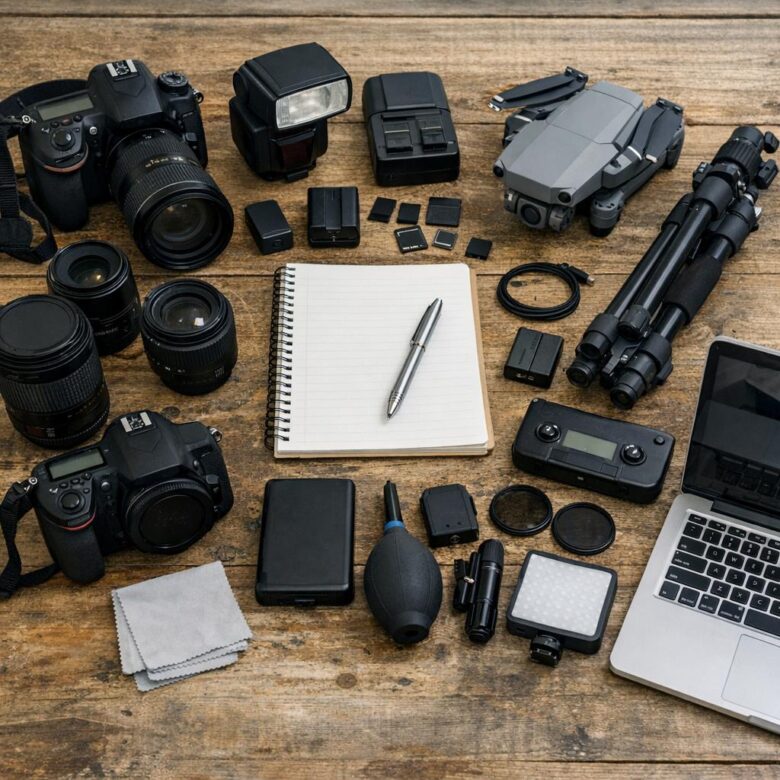
This checklist focuses on the gear that actually matters: cameras, lenses, lighting, storage, backups, editing tools, and the small accessories professionals rely on but beginners often forget.
Use it to build a lean, practical setup before you overspend on flashy equipment that may not improve your photos-or your profits.
Essential Photography Equipment for a Small Photo Business: What You Need and Why It Matters
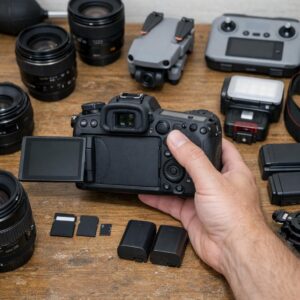
Your first photography equipment investment should focus on reliability, not owning every camera accessory on the market. A solid full-frame or high-quality mirrorless camera, two dependable lenses, lighting gear, memory cards, and backup storage will cover most paid photography services, from portraits to small events.
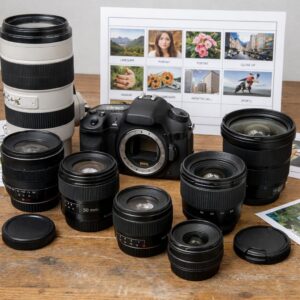
For example, a 24-70mm lens is useful for weddings, family sessions, and business headshots because it handles both wide and close-up shots without constant lens changes. Pair it with an 85mm prime lens for flattering portraits, and you can deliver professional image quality without overspending on gear you rarely use.
- Camera body: Choose a reliable model from Canon, Sony, or Nikon with good autofocus and low-light performance.
- Lighting kit: A speedlight, softbox, and reflector can dramatically improve indoor portraits and product photography.
- Backup system: Use external SSDs plus cloud storage like Google Drive or Backblaze to protect client files.
Do not overlook business-critical accessories: extra batteries, dual memory cards, a sturdy tripod, lens cleaning tools, and a comfortable camera bag. In real client work, small failures cause big stress-a dead battery during a paid graduation shoot is more damaging than not owning the latest lens.
Also consider software as part of your professional photography setup. Editing platforms like Adobe Lightroom help you manage color correction, batch editing, file delivery, and client-ready galleries, which saves time and improves consistency across every paid session.
How to Build a Practical Photo Business Gear Checklist by Budget, Niche, and Workflow
Start your photography equipment checklist with paid work in mind, not wish-list gear. A wedding photographer, real estate shooter, and product photographer all need different camera accessories, lighting equipment, backup storage, and editing software, so your budget should follow your booking type first.
A practical way to plan is to divide your gear into “must earn money,” “protect the job,” and “improve efficiency.” For example, if you shoot family portraits outdoors, a reliable mirrorless camera, 85mm lens, reflector, dual memory cards, and cloud backup matter more than a large studio lighting kit.
- Entry budget: one dependable camera body, two lenses, memory cards, spare batteries, basic insurance, and Adobe Lightroom for editing.
- Mid-range budget: add off-camera flash, light stands, backup camera body, calibrated monitor, and client gallery software like Pixieset.
- Pro workflow budget: include redundant storage, tethering tools, business insurance, contracts, CRM software, and faster computers for high-volume editing.
In real client work, backup gear is not optional. I’ve seen small photography businesses lose profit because one flash trigger failed during an event and there was no spare; a $40 backup can protect a $1,500 booking.
Also match your checklist to your delivery process. If your workflow includes same-week galleries, invest in fast memory cards, SSD drives, color-accurate monitors, and reliable photo editing services before buying another specialty lens. Gear should reduce risk, save time, and help you deliver consistent results clients will pay for.
Smart Gear Upgrades and Costly Equipment Mistakes to Avoid When Scaling Your Photography Business
When your photography business starts booking more paid work, upgrade based on bottlenecks, not excitement. If wedding galleries take too long to deliver, a faster editing laptop, calibrated monitor, or cloud backup service may bring more value than a new camera body.
A common mistake is buying premium lenses before your pricing supports them. For example, a portrait photographer shooting mostly outdoor sessions may benefit more from a reliable 85mm prime, extra batteries, and client proofing through Pixieset than from an expensive full-frame upgrade with no clear return.
- Upgrade storage first: Use dual external SSDs and automated cloud backup to protect client files and reduce business risk.
- Rent before buying: Test high-cost equipment like 70-200mm lenses, studio strobes, or mirrorless bodies before committing.
- Track return on investment: If a gear purchase does not improve image quality, workflow speed, or booking rates, wait.
Another expensive trap is ignoring support gear. Light stands, memory cards, tethering cables, insurance, color calibration tools, and camera maintenance are not glamorous, but they prevent missed shots and refund requests.
In real client work, reliability beats novelty. I have seen photographers lose more money from failed memory cards, weak backup systems, and slow delivery workflows than from using an older but dependable camera.
Scale your photography equipment checklist around the services you sell: real estate photography needs wide-angle lenses and fast turnaround tools, while product photography needs lighting control, tripod stability, and consistent color. Buy the gear that removes friction from your paid workflow first.
Closing Recommendations
Starting lean is often the smartest move. Buy the equipment that supports paid work immediately, then upgrade only when a limitation costs you time, quality, or clients.
- Prioritize reliable essentials over impressive gear.
- Match purchases to your niche, workflow, and budget.
- Rent or borrow specialized items before committing.
- Invest in backups, storage, and maintenance to protect your business.
A strong photo business is built on consistency, not clutter. Choose tools that help you deliver professional results confidently, repeatedly, and profitably.